

Standalone authenticator
Add and manage your own TOTP apps in one polished iOS experience—built for daily personal use.
More than a basic authenticator app. Use MultiMFA Viewer for personal TOTP with Face ID protection—and securely access organization-shared authenticator apps through governed MultiMFA workflows.
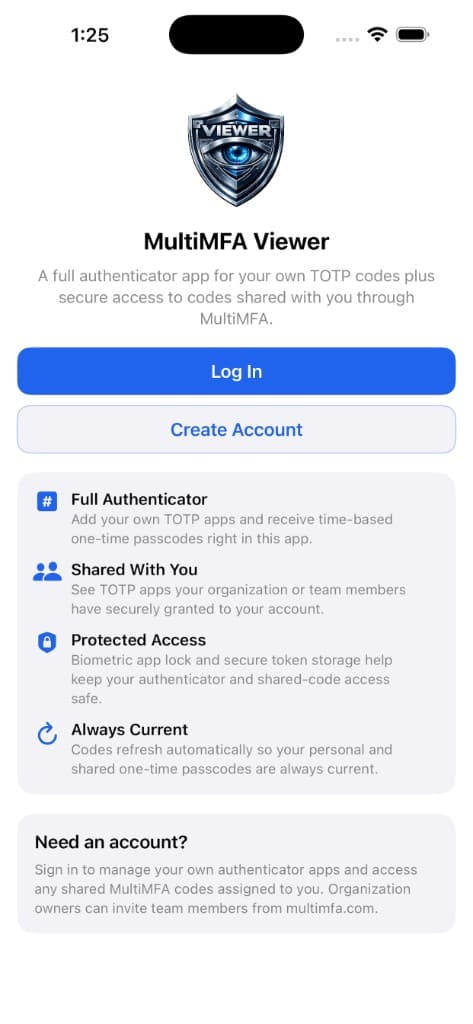
Personal authenticator
Use MultiMFA Viewer as your primary authenticator app with the same security-focused quality as the MultiMFA platform.
Add and manage your own TOTP apps in one polished iOS experience—built for daily personal use.
Scan standard authenticator QR codes to enroll quickly. Manual setup remains available when you need it.
Generate time-based passcodes with clear countdowns—designed for speed when you are signing in under pressure.
Secrets stay on your device with security-first architecture. MultiMFA Viewer is a TOTP app—not a password vault.
Collaborative authenticator
Organizations use MultiMFA to assign governed viewer access to operational TOTP apps. MultiMFA Viewer brings that access to iOS with the controls teams expect.
We are building secure collaborative sharing so authenticator apps you personally create in MultiMFA Viewer can be shared with teammates—similar to governed shared apps on the main MultiMFA platform today.
This capability is not fully released yet. We will announce availability when it is ready for production use.
Shared access
When your team uses MultiMFA, assigned users can open shared TOTP apps in Viewer—securely, with policies set by your organization.
Governed viewer access for operational continuity: trusted users, controlled assignments, and workflows designed for IT and operations—not ad-hoc code forwarding.
Learn about MultiMFA TOTP on the webAssigned viewers
Policy-driven
Access model
Read-only TOTP
Platform
MultiMFA + Viewer
Goal
Operational continuity
Security
MultiMFA Viewer helps teams collaborate on authentication responsibly—governed shared access, not insecure workarounds.
Require Face ID or Touch ID to open MultiMFA Viewer so passcodes stay private on your device.
TOTP secrets are handled with security-first design—not password storage or MFA bypass.
Shared access flows through organizational assignment and policy—not informal credential sharing.
Built for IT, security, and operations teams who need continuity without compromising control.
MultiMFA Viewer supports collaborative authenticator workflows and trusted organizational access. It is not designed for MFA bypass, password sharing, or circumventing account security controls.
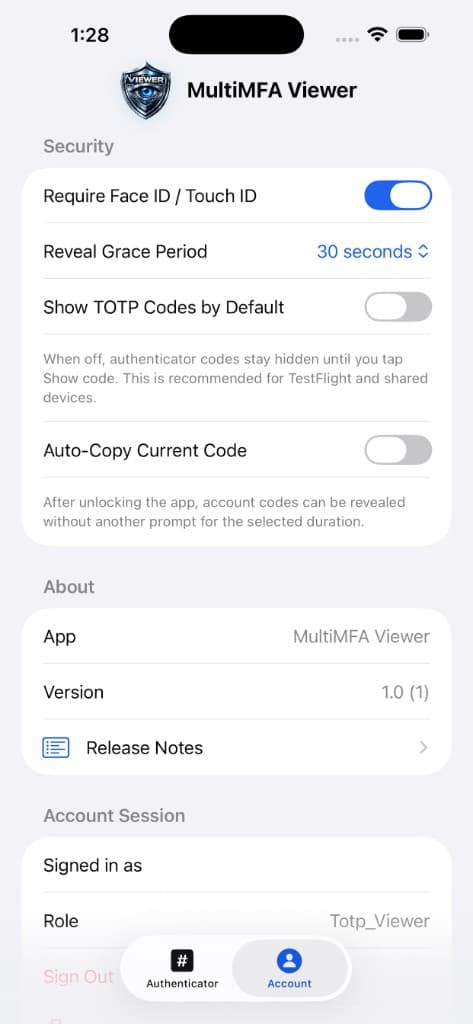
Biometric protection
Protect your authenticator with the same biometric trust you expect from premium iOS apps.
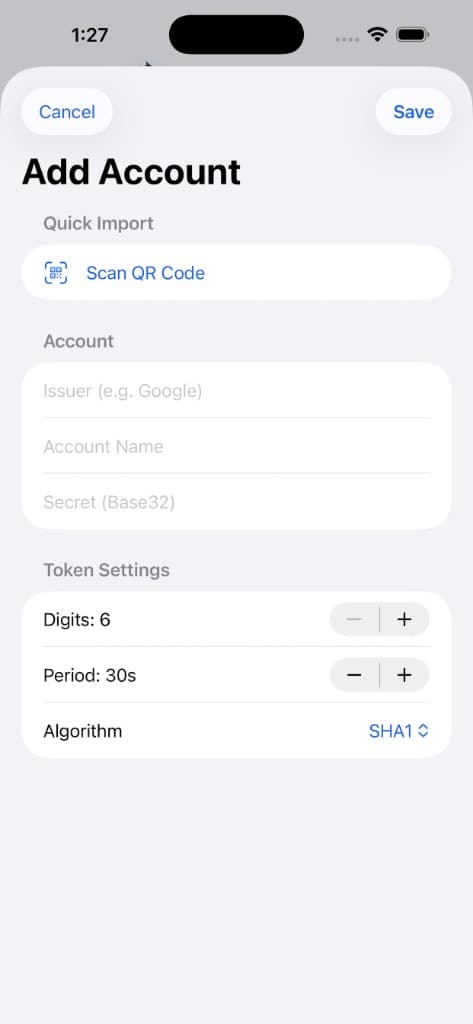
QR import
Import TOTP accounts with your camera—standard QR workflows that work with the services you already use.
Standard authenticator QR codes
Compatible with typical otpauth enrollment flows used across the industry.
Built for speed
Add personal apps in seconds—then organize them in your dashboard.
Team workflows
From IT departments to agencies and families—controlled shared authenticator access keeps work moving without trading away security.
Organizations
Centralize operational MFA without losing control.
IT & Security
Assign viewer access with policy-aligned workflows.
Operations
Keep sign-ins moving across shifts and regions.
Agencies
Support client accounts with governed delegation.
Families
Shared access without screenshot culture.
App preview
A polished iOS experience for personal authenticators, shared team access, and security settings.
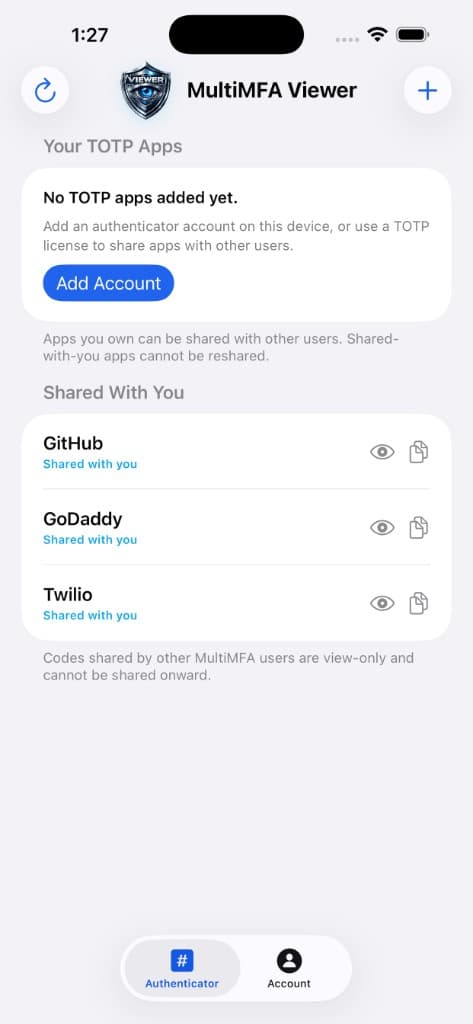
Authenticator

The modern authenticator for personal TOTP and governed team access—available now on iOS.

Requires iOS. Android is on our roadmap.
FAQ
Everything you need to know about MultiMFA Viewer—for individuals, teams, and organizations.
MultiMFA Viewer is the iOS authenticator app from MultiMFA. Use it as a full personal TOTP authenticator and to access authenticator apps your organization has securely shared with you through the MultiMFA platform.
Yes. Add your own TOTP accounts, scan QR codes, and generate rotating passcodes with secure on-device storage—protected by Face ID or Touch ID when you enable it.
No. MultiMFA Viewer is an authenticator for time-based one-time passcodes (TOTP). It does not replace password managers and is not designed for password sharing or MFA bypass.
Yes. You can require Face ID or Touch ID to unlock the app and help keep codes private on your device.
Yes. Scan standard authenticator QR codes to add TOTP entries quickly, alongside manual setup when needed.
We are actively building secure collaborative sharing so you can share authenticator apps you create in MultiMFA Viewer with teammates—similar to governed shared apps on the main MultiMFA platform. This is in development; availability will be announced when ready.
MultiMFA Viewer is available on the Apple App Store today. Android is on our roadmap; join updates from MultiMFA or contact support for timing.